
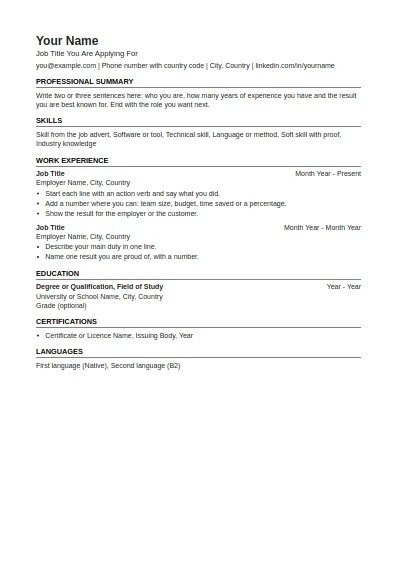
ATS-Friendly CV
One column, standard headings, no tables or graphics. The safest choice for online application systems.
Fill in this format onlineYou can turn each of our Word files into a Google Doc CV template in under a minute. Google Docs opens and edits Word files directly, so there is nothing to convert by hand. The steps below come from Google's own help page.
One column, standard headings, no tables or graphics. The safest choice for online application systems.
Fill in this format online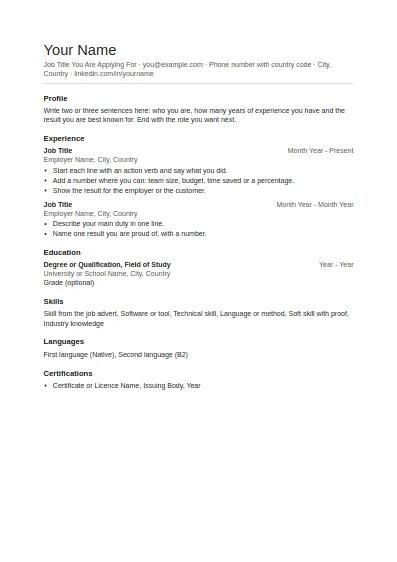
Clean and plain with generous white space. Good for any job and easy to edit.
Fill in this format online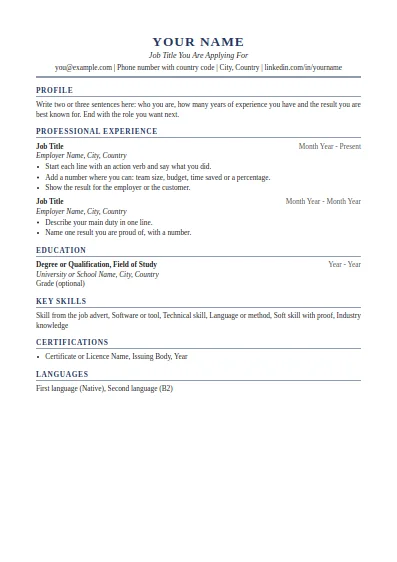
Classic serif layout with a centred header. Suits managers, finance, law and senior roles.
Fill in this format online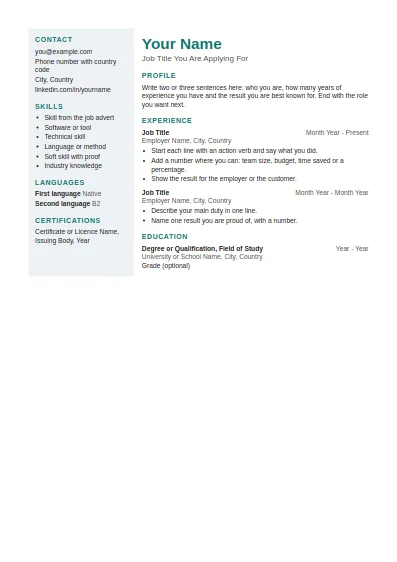
Two columns with a shaded side panel for contact details and skills. Best when a person, not a system, reads it first.
Fill in this format online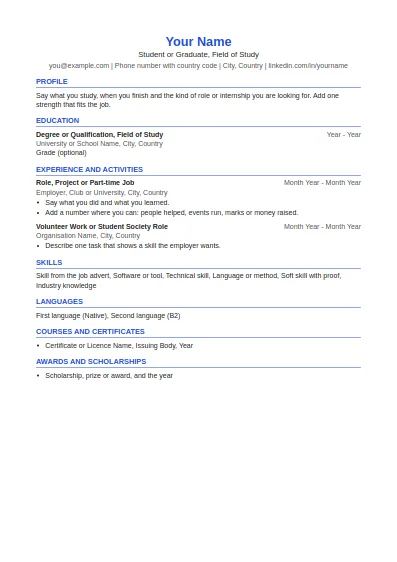
Education first, then projects, part-time work and activities. Made for a first CV.
Fill in this format online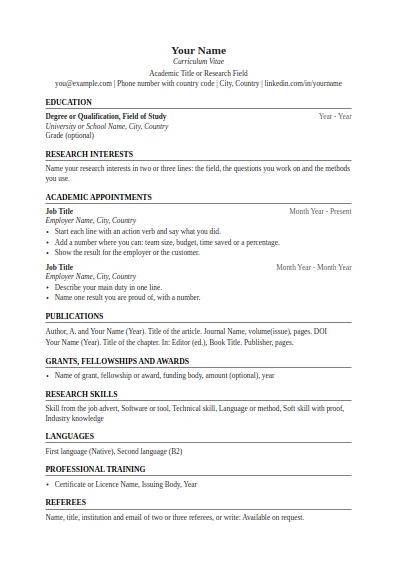
Education, research interests, appointments, publications, grants and referees. No page limit.
Fill in this format online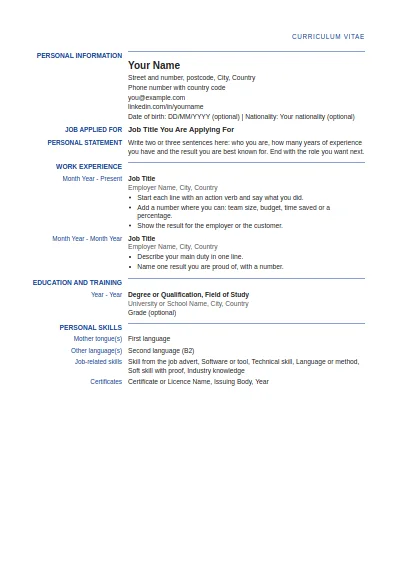
Label and detail columns in the order used by the Europass CV. This is our own layout, not the official EU tool.
Fill in this format online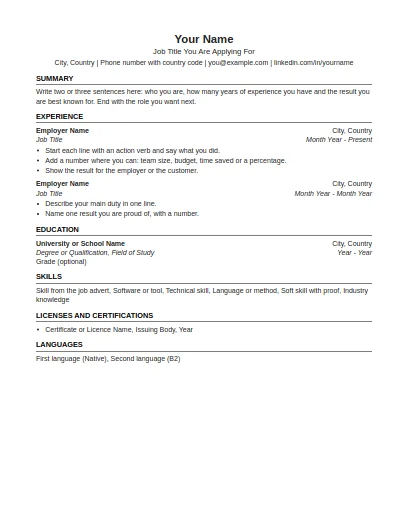
US Letter paper, one page focus, no photo and no personal details such as age or marital status.
Fill in this format online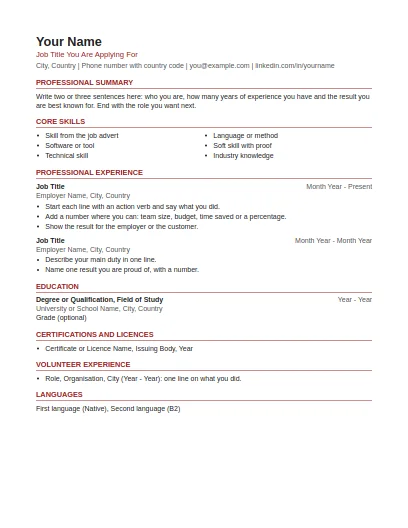
US Letter paper, summary and skills first, volunteer work included, no photo or personal details.
Fill in this format online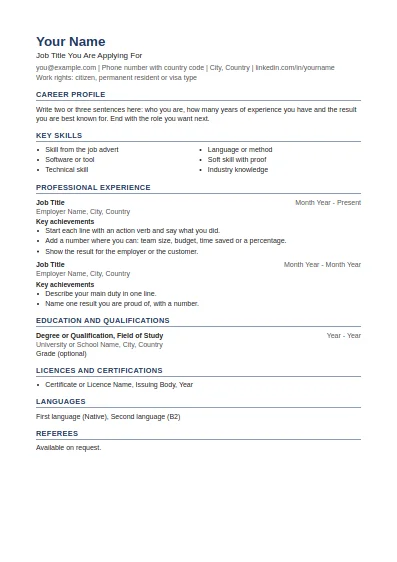
Career profile, key skills, achievements under each job and referees at the end.
Fill in this format online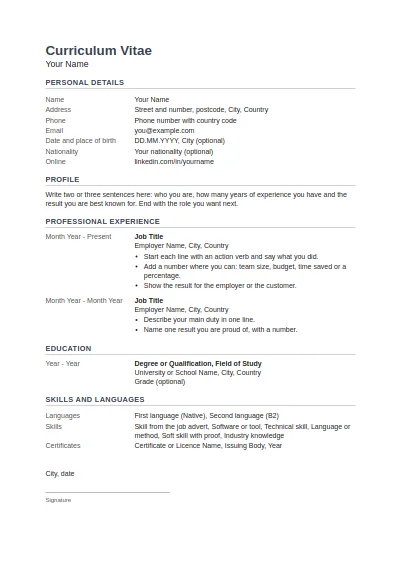
Tabular layout with dates on the left, personal details block, and place, date and signature at the end.
Fill in this format onlineOur files use only features that Google Docs supports: headings, bullets, tab stops and simple tables. They contain no macros, embedded charts or SmartArt, which Google lists as not supported when editing Office files. Arial and Times New Roman are available in Docs, so the fonts stay the same. Line spacing can differ slightly from Word.
Use the CV builder on this site instead. It needs no account at all and gives you a Word file and a PDF.
Sources last checked: 2 October 2026.
No. We publish the files on our own site only, so you upload the Word file to your Drive yourself. It takes three clicks and the file is then yours alone.
The single column formats (ATS-friendly, simple, professional, student, US, academic) keep their layout exactly. The two column formats also open correctly, as simple tables.
Yes. Upload the file to Drive and open it in the Google Docs app.
No. The templates use Arial and Times New Roman, and both are standard fonts in Docs.
Download it as PDF and send the file. A share link can break or ask the employer to sign in, so a PDF is safer.
Yes. The templates are free and Google Docs is free with a Google account.
Free tools and guides for your job search.